 TrackTidy
Your music library, finally tagged right.
TrackTidy identifies every song by its actual audio — not its messy filename — fixes the artist, title, album and year, bulk-renames the files, and now finds duplicate copies hiding in your library. Free, no license key required.
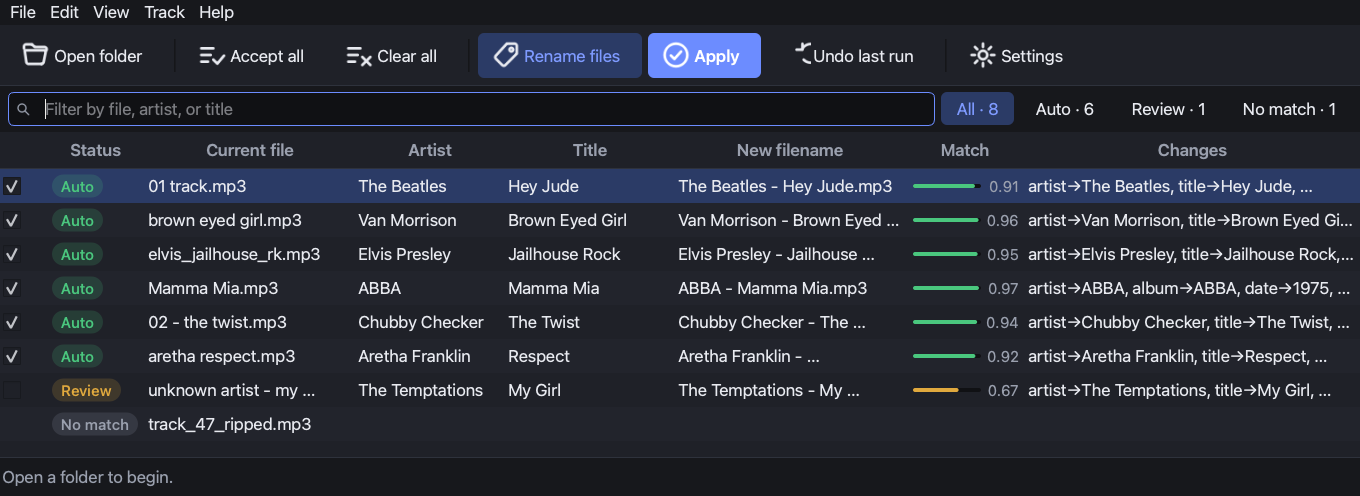
Ripped, downloaded, inherited — and a total mess.
Half your tracks are “01 - track.mp3” or tagged “Unknown Artist.” Players show garbage. Sorting is hopeless. Doing it by hand across thousands of files is a weekend you'll never get back.
TrackTidy listens to each file, matches it against a database of millions of recordings, and proposes the correct tags — you just review and apply.
Accurate because it actually listens.
Most taggers guess from the filename. TrackTidy fingerprints the audio, so it's right even when the name is useless.
Acoustic fingerprinting
Identifies songs by their sound via AcoustID & MusicBrainz — not by hopeful filename parsing.
Duplicate finder — new in 2.0
Groups copies of the same recording by fingerprint, picks the best one as the keeper, and sends the rest to the Trash. Never every copy of a track.
Bulk rename, your way
Rename files from a template like {artist} - {title} with a live preview. Optional — tags-only is fine too.
One-click undo
Every run is journaled. Don't like a batch? Undo the whole thing — tags, filenames, and trashed duplicates — instantly.
Review before you commit
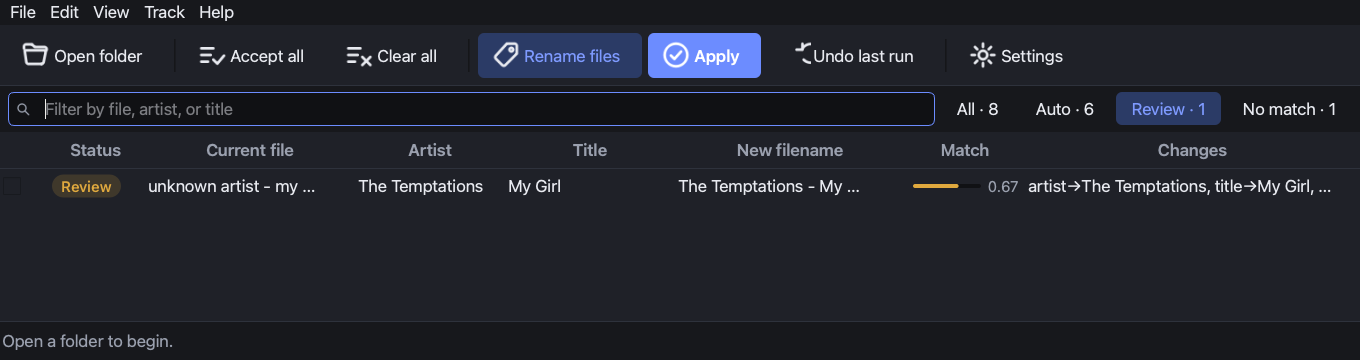
Confidence bars and status pills show what's certain and what needs a look. Nothing changes until you say so.
Native, premium UI
A fast, dark, keyboard-friendly Mac app. Drag a folder in, filter, fix, done. No web wrapper, no clutter.
Private & self-contained
Your files never leave your Mac — only anonymous fingerprints are looked up. Everything's bundled; nothing to install.
Free & open source
No license key, no catch. Source on GitHub under a free-for-personal-use license. A tip is appreciated if it saves you time — never required.
Three steps. Minutes, not weekends.
Point it at a folder
Drag in a messy music folder — or your whole library. TrackTidy scans and fingerprints every track in parallel.
Review the matches
High-confidence matches are pre-accepted. Skim the rest, switch any alternate with a right-click, edit inline if you like.
Apply & relax
Write correct tags and rename files in one click — fully reversible. Your library is suddenly, beautifully in order.
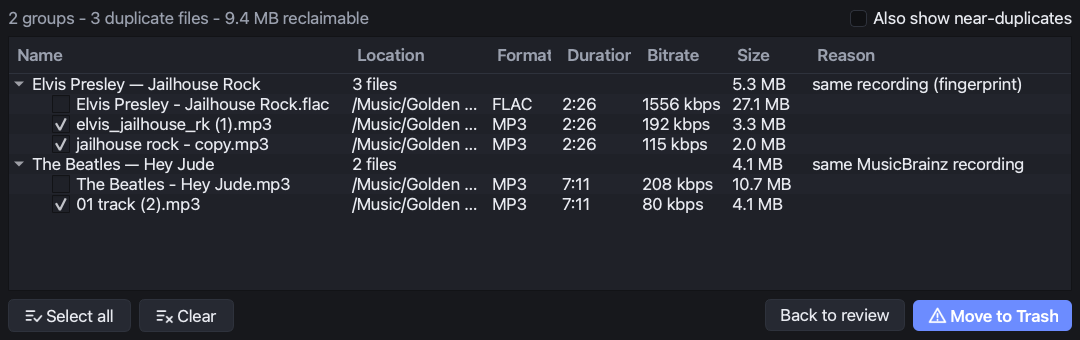
Same song, three copies, one keeper.
A rip from years ago, a re-download, a different bitrate under a different name — the same recording, over and over, quietly eating disk space. TrackTidy already knows they're duplicates from the same fingerprint it uses to identify them, so finding them costs nothing extra.
Every group shows why the files matched, auto-picks the best copy (format, bitrate, length) as the keeper, and protects it from deletion — structurally, not just by default. The rest go to the Trash, never a hard delete, and every run can be undone.
Free. However you'd like it.
No subscription. No account. No license key. Pick whichever download you prefer — both are the same signed, notarized app.
- Fingerprint-accurate identification (MP3, FLAC, M4A)
- Bulk tag correction + template renaming
- Duplicate finder, with Trash-based safe delete
- One-click undo for every run
- Universal build — Apple Silicon & Intel
Powered by a free AcoustID key you create in ~2 minutes — TrackTidy walks you through it on first launch.
Questions, answered
Is TrackTidy really free?
Does it change my actual audio?
What's this about an AcoustID key?
Which files does it support?
Can the duplicate finder delete every copy of a song?
Is my music sent anywhere?
What are the system requirements?
Do I need to be online?
Stop scrolling past “Unknown Artist.”
Clean up a lifetime of music in an afternoon. Free.